Enable SSH
How to Enable SSH?
Administrator account logs into Lazycat client, go to 'Search system settings' -> 'Open the system settings' -> 'Basic Settings'
Scroll down to find Enable SSHD
Set root user password and enable the option
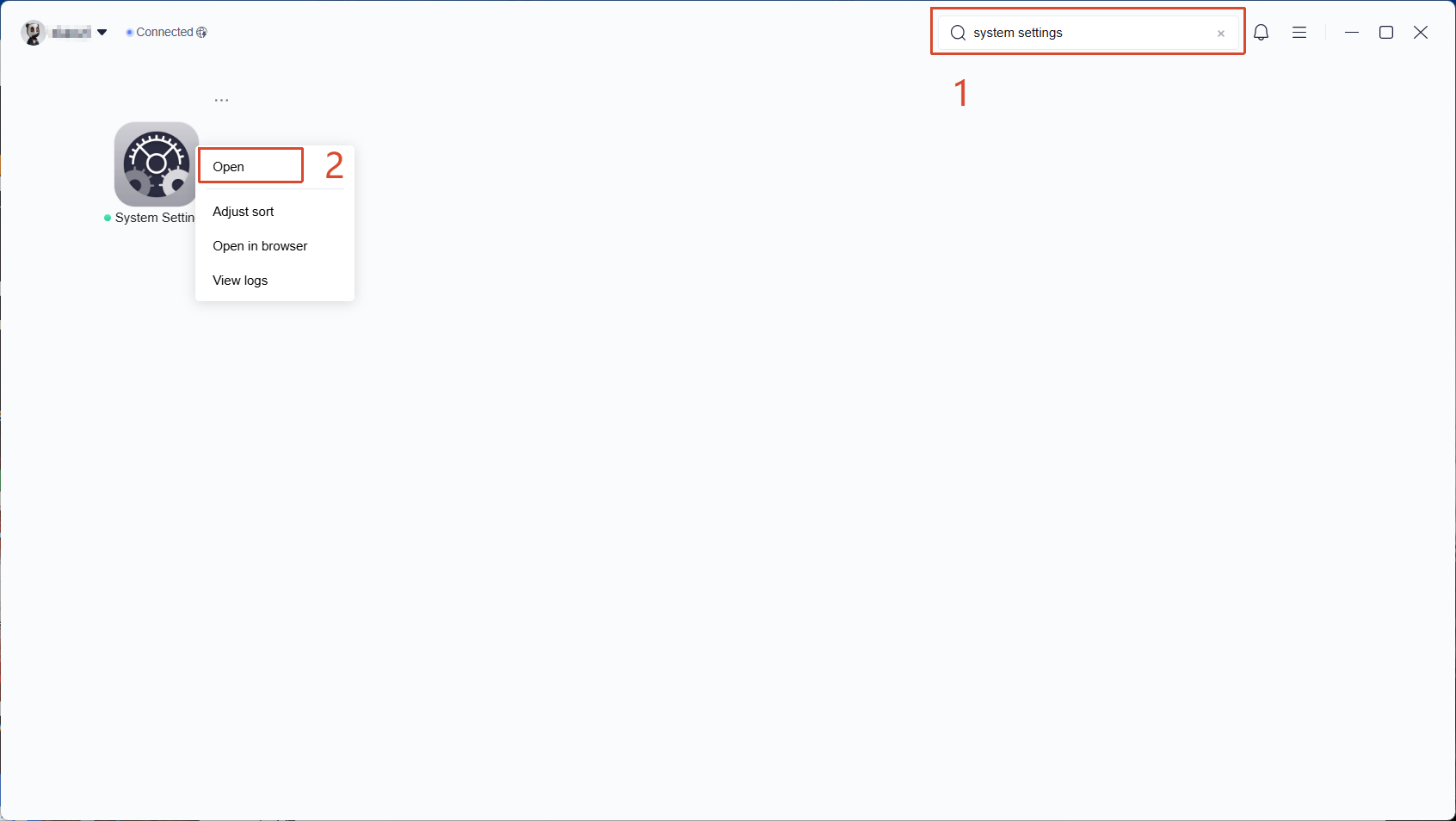
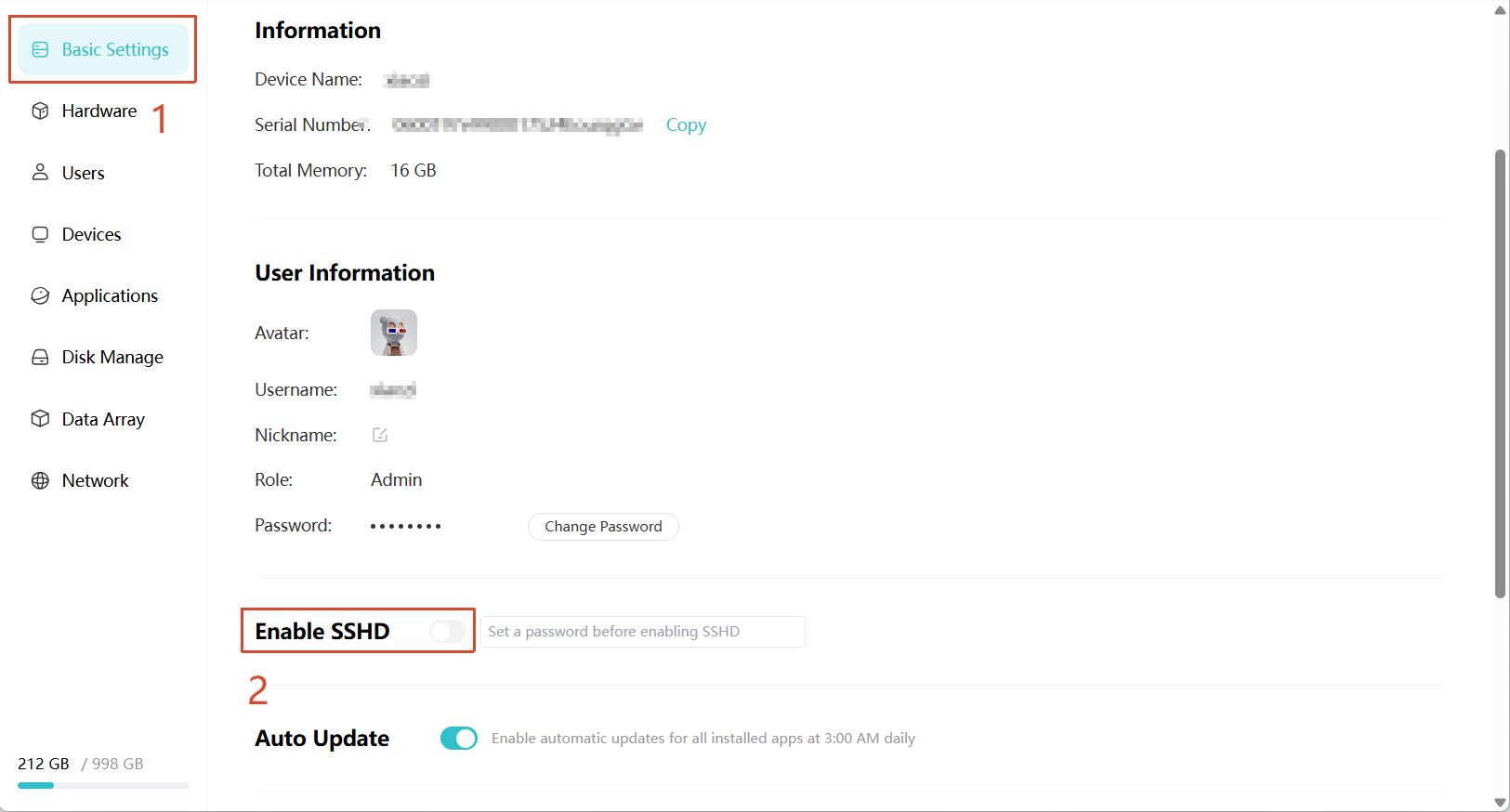
Execute
ssh root@{LCMD_name}.heiyu.spacein your preferred terminalcat /data/README.md to view data disk related file descriptions
Using Public Key to Login SSH
After lzcos v1.3.2+ version, the root user's home directory will be adjusted to permanent storage.
If you need to use public key login, you can use ssh-copy-id root@xxx.heiyu.space on your computer to automatically add the local public key to LCMD.
If there's no ssh-copy-id command on your computer, you can manually add the public key to the ~/.ssh/authorized_keys file after SSH login
Due to technical reasons, it's impossible to provide a normal LCMD platform while the underlying system can be arbitrarily modified, so it's not suitable for directly installing system software to provide services. The main purposes of SSH are:
- Observe and audit system behavior
- High-risk network operations such as nmtui
- Temporarily troubleshoot system issues. If you need persistent software, configuration, or runtime environment, use LightOS. If you need Docker, use Docker in LightOS