Browser Extension
If your application supports browser extension access, you need to configure public_path so that the extension can access normally.
Because the extension js's context is isolated from the normal page's context, accessing LCMD's login cookie is not effective.
You need to configure Independent Authentication for the URL addresses accessed by the extension, so that the system ingress allows related requests, and the application itself performs authentication.
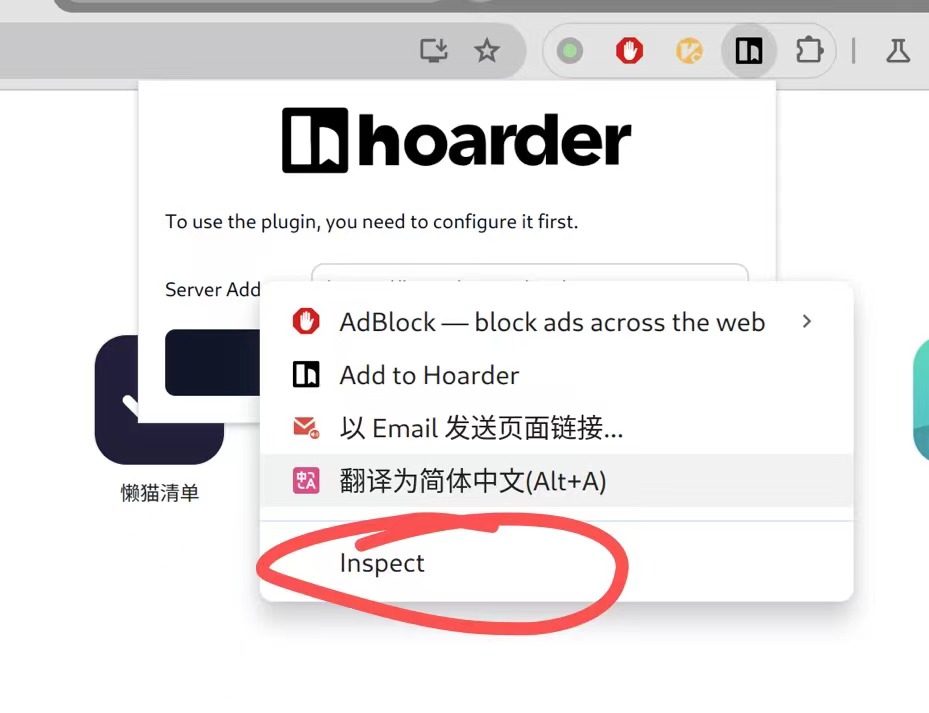
The debugging method is generally to right-click on the extension page and click buttons like inspect to access the extension's debugging toolbar.
Jump to the network page in the debugging toolbar, then try to access the extension's functions to find the address that returns 401.
For example, the hoarder extension accesses the /api/trpc/ path.
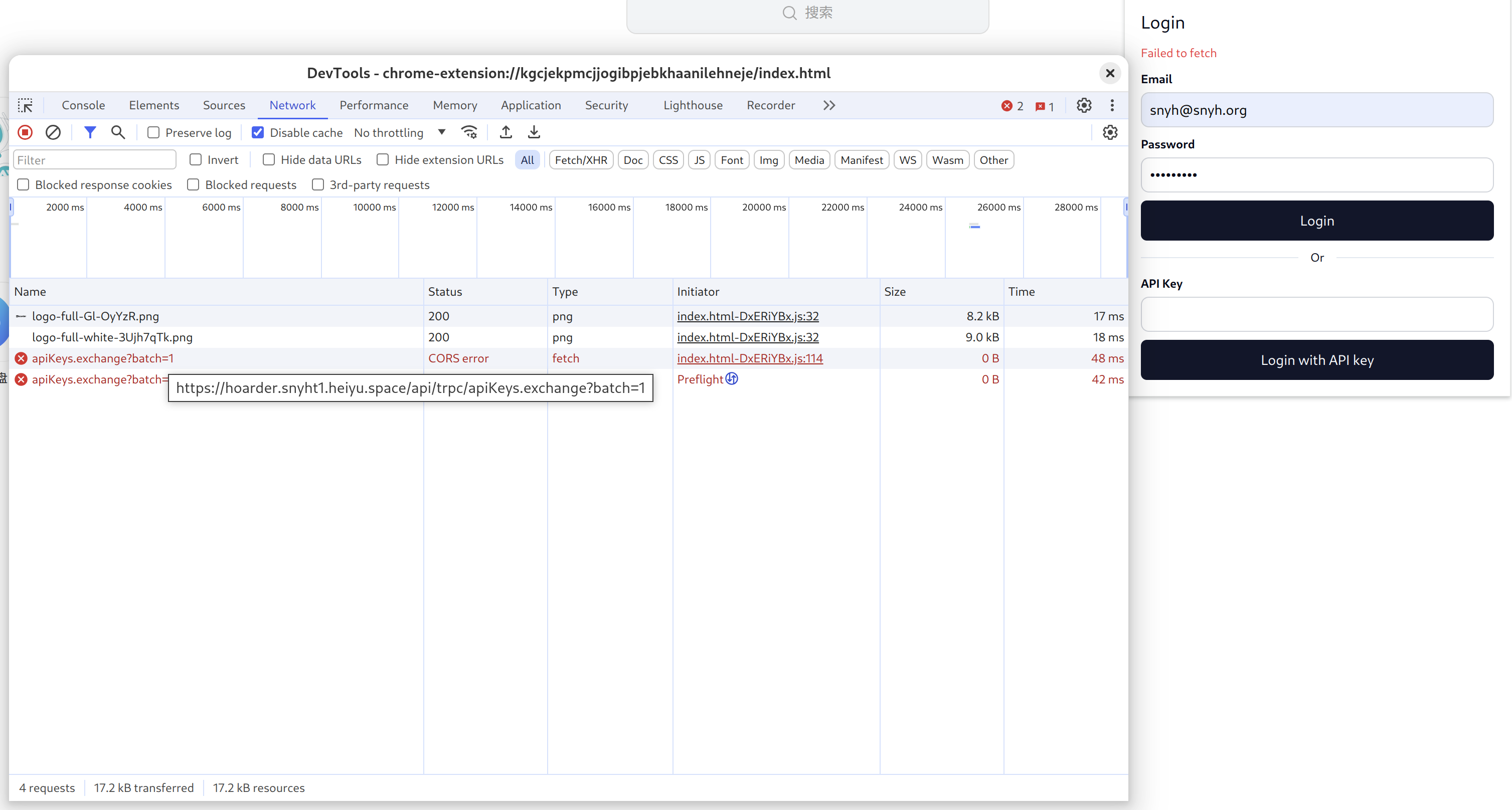
We add this path to lzc-manifest.yml
application:
  subdomain: hoarder
  routes:
    - /=http://web.dev.libr.hoarder.lzcapp:3000/
  public_path:
   - /api/trpc/
Security Notice
For paths added to public_path, please test thoroughly to ensure that sensitive data is protected by additional application-level protection.
After configuration, you can observe the actual accessed URL addresses in the extension's debugging page, then use curl in the command line to access and see if it will be rejected.